Castle Defender2.0.9
Publisher Description


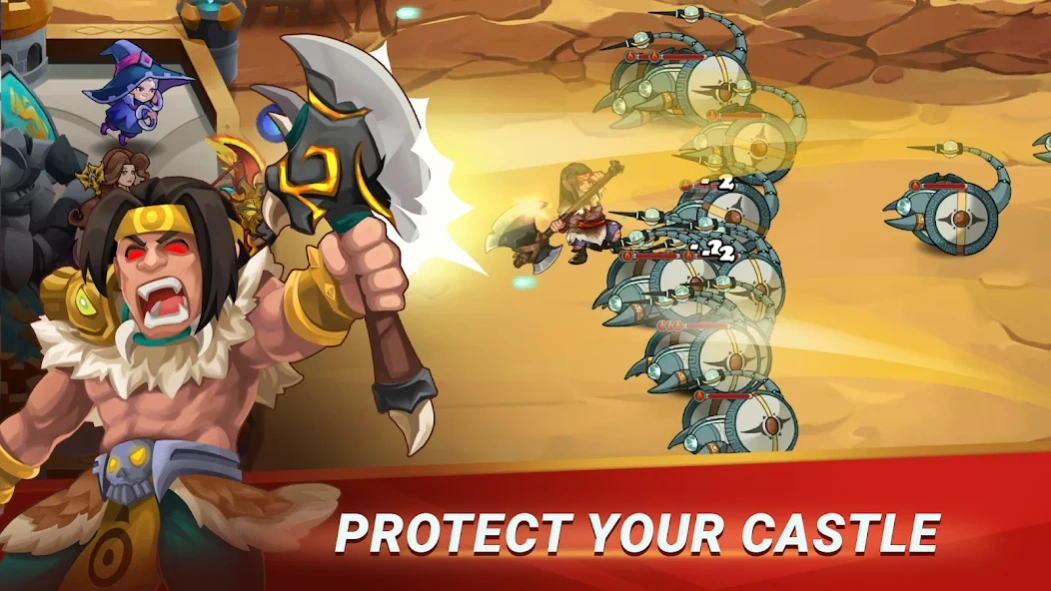

Kill waves of monsters. Defend your Castle.
Defend your castle of the royal kingdom - try this castle defense game now! Fight against massive waves of enemies.
Use your archery skills as you lead an idle defense heroes team. Make sure your castle is safe.
ARE YOU READY TO TAKE THE CHALLENGE OF THE BEST IDLE TOWER DEFENSE GAME?
- Defend with your ultimate crossbow by TAPPING THE SCREEN.
- Throw powers like freeze, tornado towards the enemies.
- Use your heroes' powerful skills.
- Upgrade and equip ITEMS for your heroes.
- Summon new heroes with powerful stats.
FUNCTION:
- Defend your castle in 5 maps such as Forest, Temple, Sea, Cave, and Labyrinth
- 250+ fun LEVELS
- Ultimate skills: tornados, freeze, and many more.
- 30+ heroes to summon and upgrade.
- Lots of different monsters running wild, each with their special attacks.
- Many heroes: Warrior, witch, knight, bower, and many more.
Official Community:
- Fanpage: https://www.facebook.com/CastleDefenderTD/
- Twitter: twitter.com/UnimobGames
- Email: support@unimobgame.com
About Castle Defender
The company that develops Castle Defender is Unimob. The latest version released by its developer is 2.0.9.
To install Castle Defender on your Android device, just click the green Continue To App button above to start the installation process. The app is listed on our website since 2026-08-07 and was downloaded 27 times. We have already checked if the download link is safe, however for your own protection we recommend that you scan the downloaded app with your antivirus. Your antivirus may detect the Castle Defender as malware as malware if the download link to com.unimob.castle.defender.heroes is broken.
How to install Castle Defender on your Android device:
- Click on the Continue To App button on our website. This will redirect you to Google Play.
- Once the Castle Defender is shown in the Google Play listing of your Android device, you can start its download and installation. Tap on the Install button located below the search bar and to the right of the app icon.
- A pop-up window with the permissions required by Castle Defender will be shown. Click on Accept to continue the process.
- Castle Defender will be downloaded onto your device, displaying a progress. Once the download completes, the installation will start and you'll get a notification after the installation is finished.
Program Details
System requirements
Download information
Pricing
Version History
version 2.0.9
posted on 2026-08-07
Fix some bugs
version 1.9.0
posted on 2021-10-12
Optimize user experience
version 1.9.0
posted on 2021-07-16
- Fix some bugs
- Optimize user experience
version 1.8.3
posted on 2021-01-26
- Recipe requiement to crafting change from 3 to 2 items.
- Change reward in lucky wheel: 15000 gold-> 10 Valan coin
version 1.8.2
posted on 2020-12-30
Fix mini bug
version 1.8.2
posted on 2020-11-23
Add rewards
version 1.8.1
posted on 2020-11-09
- Fix upgrade wall bug
- Fix upgrade prophecy card bug
version 1.7.2
posted on 2020-10-26
New game mode Valan Realm
Fix bug: image missing
version 1.6.1
posted on 2020-10-12
New game mode Valan Realm
Fix bugs and improve performance
version 1.5.1
posted on 2020-10-01
Fix bugs and improve performance
